Overview:
To integrate NinjaOne with SherpaDesk, you will need to establish a secure connection using your API Key and Secret Key from the NinjaOne platform. This integration allows SherpaDesk to sync asset details, monitor devices, and streamline IT operations within one unified platform.
Steps:
1. Log in to your NinjaOne console.
2. Navigate to the section where API keys are managed.

3. Copy the API key and Secret key.

4. Log in to Sherpadesk with valid credentials.
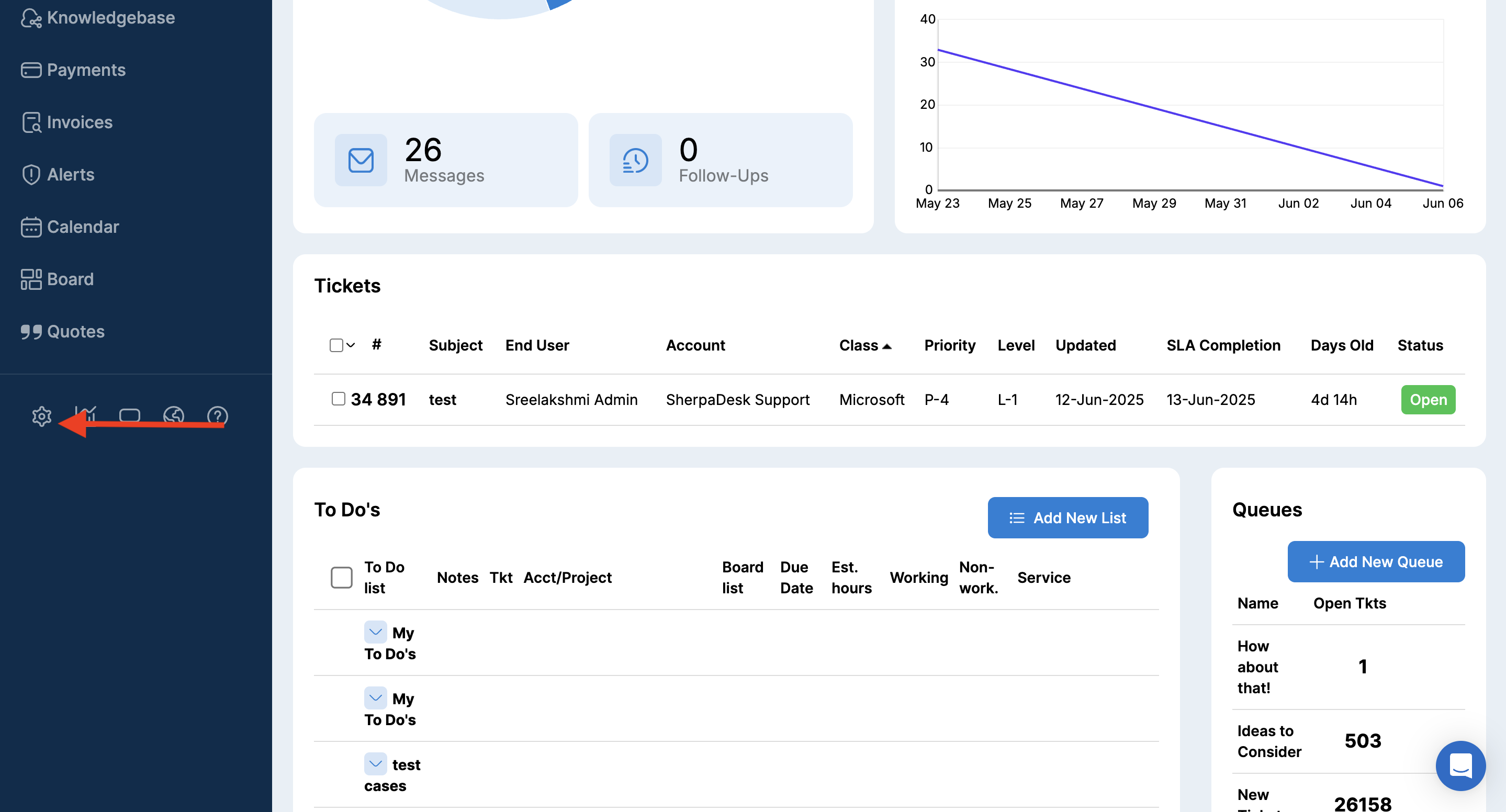
5. Click on “Settings” in the horizontal menu.
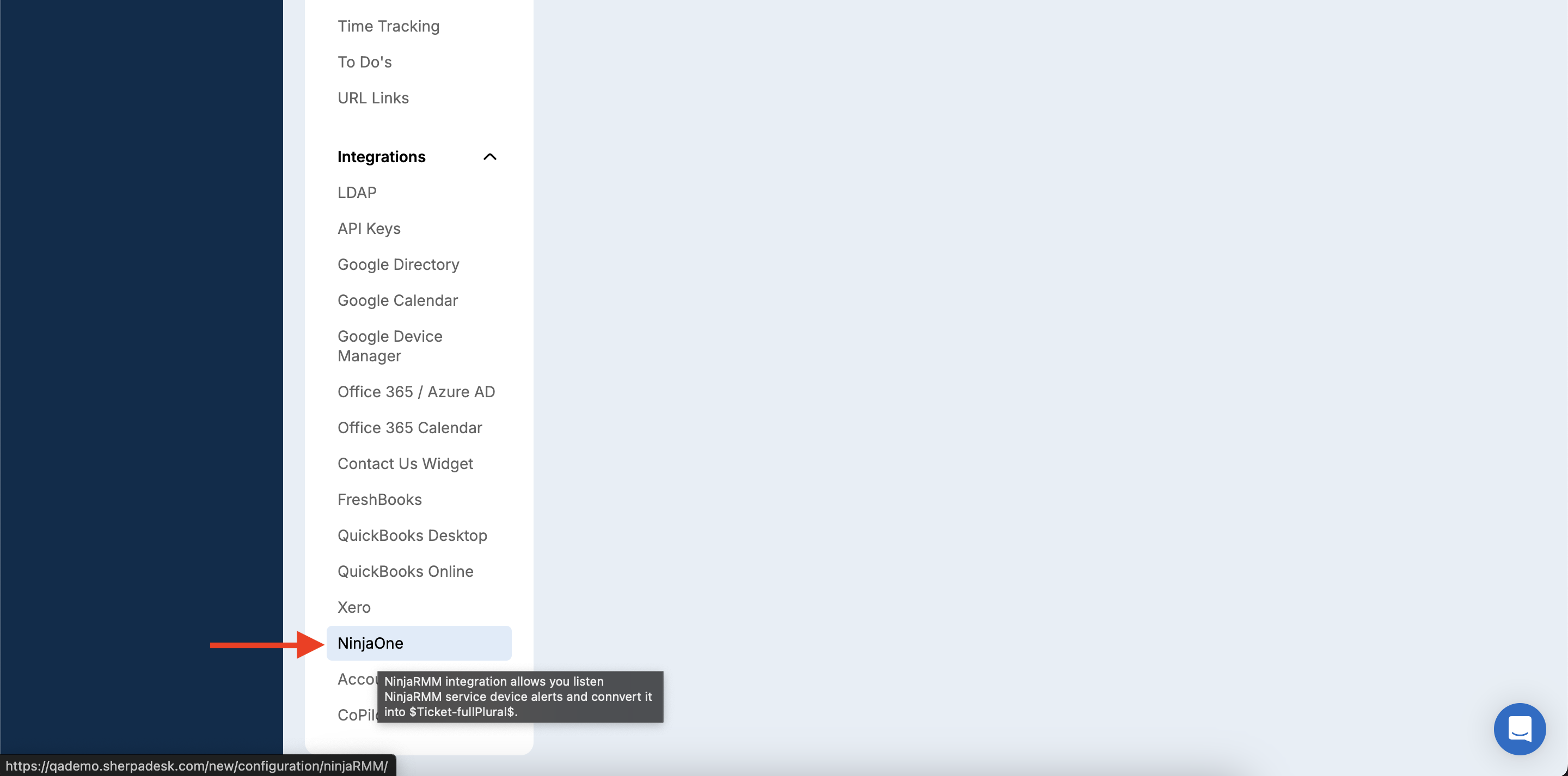
6. Click on NinjaOne on the configuration page.
7. Enable the toggle button.
8. Enter API and Secret Key in the field and click on "Apply" button.
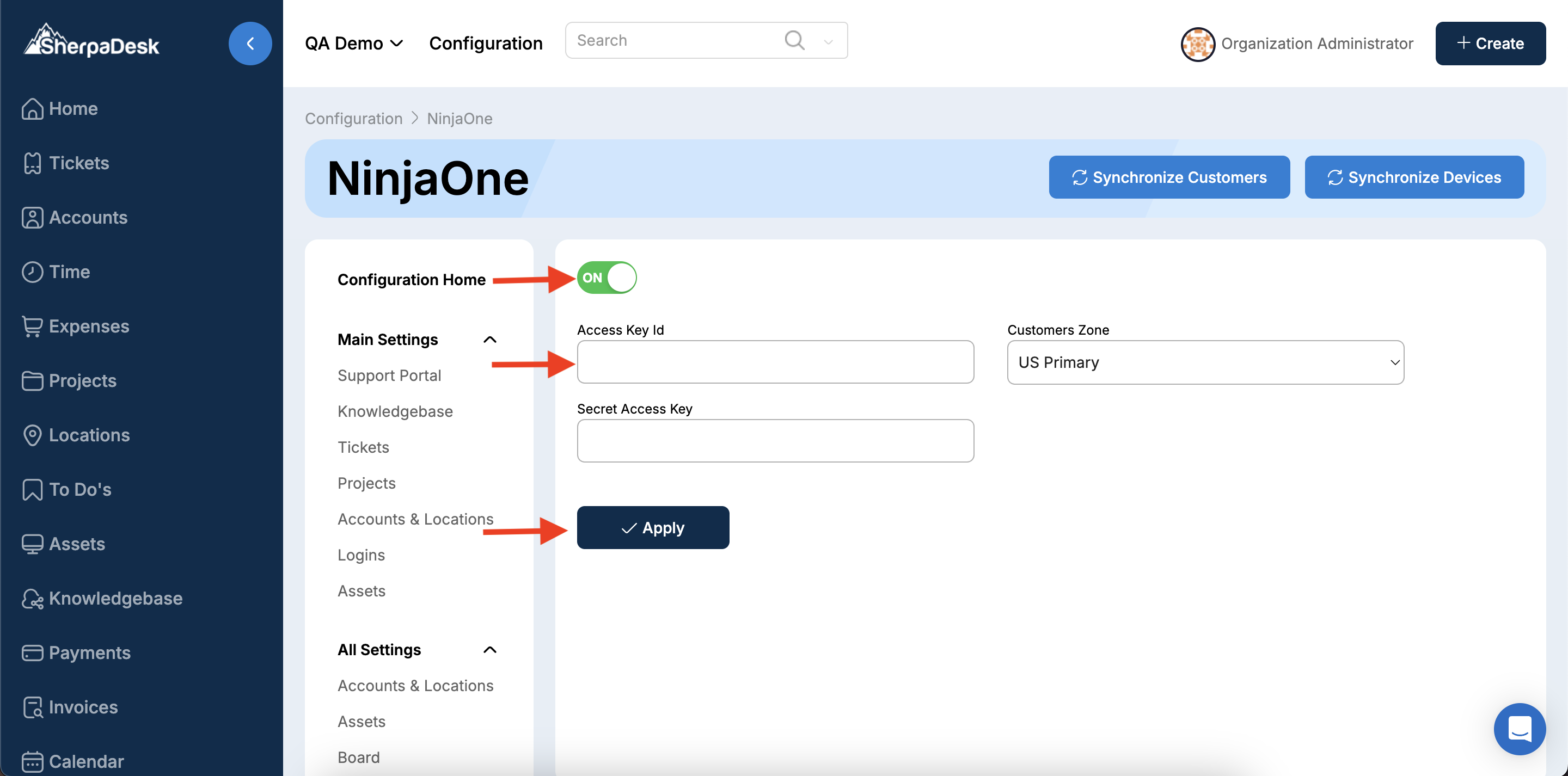
Once the API and Secret Keys are entered and saved in SherpaDesk, the integration with NinjaOne is complete.
